The Fitbit App Is Now Google Health: What Actually Changed
Quick answer: The Fitbit app was replaced by Google Health, and since May 19, 2026 you can't sign in with a Fitbit account — everything now runs on a Google Account. Moving your account takes a few minutes inside the app and cannot be undone. Google started processing data deletions for accounts that were never moved on July 15, 2026, so if you've been putting it off, check today. Your tracker itself still works exactly as before; the hardware never changed.
If you opened your tracker app one morning this spring and found a different app wearing its name, you're not confused — Google renamed and rebuilt the thing. And unlike most app redesigns, this one came with a login change and a deletion deadline attached, which is why a lot of people found out the hard way.
Here's the plain version, without the support-doc runaround.
- May 19, 2026 — Fitbit-account sign-in stops working; the app is Google Health.
- July 15, 2026 — Google begins processing deletion of data on accounts never moved.
- July 15, 2026 — a separate ~7-hour outage broke syncing for Fitbit and Pixel Watch owners; since fixed.
- Now — Google Health runs on Android and iOS; some legacy Fitbit features are still being restored.
What Exactly Happened to the Fitbit App?
Google folded Fitbit's app into its own health platform. The redesigned Google Health app replaced it on both Android and iOS, and the account system moved with it: after May 19, 2026, a Fitbit login no longer gets you in, and you can't use the rest of the app until you've moved to a Google Account.1
The company also retired Google Fit into the same app, so what used to be three overlapping health products is now one. The upside of that consolidation is real — Google Health can pull data in from Apple Health, Health Connect and a long list of third-party apps (and since an August 3, 2026 update it can write most of your Fitbit data to Apple Health on iPhone, minus HRV and skin temperature; our Fitbit Air and Apple Health sync breakdown has the details), and in the US it can sit alongside medical records like lab results and medications.
The downside is equally real: your tracker's app is now on Google's release schedule, and some things people used daily went missing in the rebuild. Google has said the gaps are being filled over time, and updates through July did restore a batch of them — tiles for HRV, breathing rate, SpO2, resting heart rate and skin temperature came back to the main view, along with sleep improvements. "Coming back eventually" is still a worse answer than "never left."
How Do You Move Your Fitbit Account to Google?
It's short. The part to take seriously is that it's one-way.
- Install or update the Google Health app on your phone.
- Sign in with your Fitbit account when prompted — this is the last time that login does anything.
- Follow the migration prompts and choose the Google Account you want your history attached to. Pick one you'll still have in five years, not a work address.
- Confirm. The move takes a few minutes, and you can cancel up until the final step. After that, Google's documentation is explicit: you cannot undo this action.1
- Re-pair your tracker if it drops off — some users saw devices unpair around the transition, including Fitbit Air owners during the July outage. Bluetooth pairing again fixes it.
What If You Missed the July 15 Deadline?
Then the honest answer is: check right now, and don't assume the worst until you've looked. Google said it would begin processing deletions on July 15, 2026 for accounts that were never moved — processing at Google's scale isn't instant, and plenty of people find their history intact when they finally log in.
Do this in order: open Google Health, attempt the migration, and see what's there. If your history is missing, contact Google Health support with your old account details. And whatever the outcome, export a copy this time — Google Takeout has covered Fitbit data since long before the rebrand, and an annual export is cheap insurance against the next platform decision you don't control.
One thing worth saying plainly: none of this touched the device on your wrist. Trackers kept recording through all of it. What was at risk was years of history sitting on someone else's server under a login that got retired.
Does the Fitbit Air Work With Google Health?
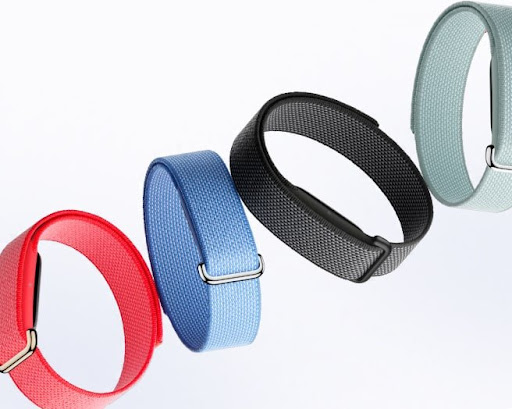
Yes — and in fact the Fitbit Air is the first tracker designed for this world rather than migrated into it. It's screen-free by design, so the app is the interface, and core tracking (steps, sleep, heart rate, irregular rhythm notifications) works without a Premium subscription.
Earning points through an employer wellness program? If it runs on Personify Health (formerly Virgin Pulse), your Fitbit data has to be reconnected through Google Health too — Personify's notice (updated September 25, 2026) gives October 30 as the cutoff. Our Max GO watch and Personify Health guide covers what each tracker earns.
The July 15 outage did hit Air owners along with everyone else, and at least one reported the band unpairing and refusing to reconnect during the downtime. Sync resumed when the service came back. It's a fair reminder of the trade you make with any cloud-tied wearable: the hardware is yours, the platform isn't.
Thinking of Leaving? What the Alternatives Actually Offer
A forced app migration is when people reconsider the whole ecosystem. If that's you, three no-subscription options worth knowing — none of them perfect, all of them independent of Google's roadmap.
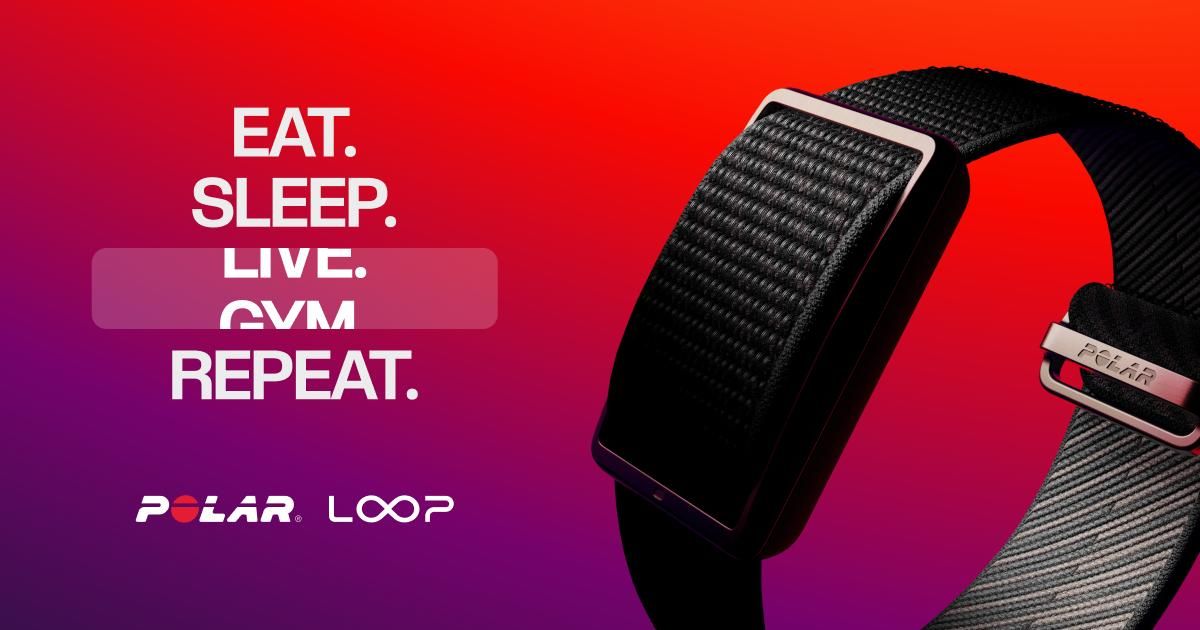
Polar Loop (around $199.99, October 2026) — Polar Flow is the most stable platform in this category, run by a company whose entire business is sports science rather than advertising. Sleep analysis is genuinely excellent. Fewer smart features, and the price is higher for less hardware. Our Polar Loop review is honest about both.
Amazfit Helio Strap (~$99.99) — same money as the Air, worn on the upper arm, free Zepp app with recovery and readiness scores plus a HYROX mode. The full review covers where Zepp still feels rougher than Google's app.
Garmin Cirqa (~$199.99) — Garmin Connect has been around long enough that it's not going anywhere, and there's no subscription for the core metrics. It costs twice the Air. See Cirqa vs Fitbit Air for the head-to-head.
Three Habits That Protect Your Health Data
- Export once a year. Takeout, or the export option in your platform's settings. Ten minutes, and it survives any rebrand.
- Use a personal account you control. Work Google accounts disappear when jobs do — and this migration is permanent.
- Prefer platforms that don't require a subscription for your own numbers. That's the whole reason this site exists: gear that keeps working when a company changes its mind.
Fitbit App & Google Health FAQ
What happened to the Fitbit app?
It became Google Health, rolled out on Android and iOS. Since May 19, 2026, Fitbit-account logins no longer work — you need a Google Account. The tracker hardware is unaffected.
What if I didn't move my account before July 15?
Google began processing deletions that day for accounts never moved. Sign in and check what's still there, then contact Google Health support if history is missing. Recovery isn't guaranteed.
Does my tracker still work?
Yes. Only the app and login changed. The seven-hour outage on July 15, 2026 that broke syncing for Fitbit and Pixel Watch owners was a server problem, since fixed.
Can I undo the migration?
No — Google states the move can't be undone. Export a copy of your data before migrating if your history matters.
Do I need Premium now?
Not for core tracking. Steps, sleep, heart rate and standard metrics remain free; Premium adds coaching features like Google Health Coach.
Sources
- Google Health Help. How to move your Fitbit Account to a Google Account. support.google.com
- 9to5Google. Google Health has fixed the outage that broke sync for Fitbit & Pixel Watch users. July 16, 2026. 9to5google.com