Best Matter-Compatible Smart Plugs (2026): Which Work With Alexa, Google Home and Apple Home?
Quick answer: The Kasa KP125M (sold as the KP125MP4 4-pack), Tapo P110M, meross MSS315 and Eve Energy are all Matter-certified smart plugs, each with an entry in the CSA's public ledger as of September 27, 2026,13 and for these four it doesn't matter whether a listing says "Matter-certified" or "Matter-compatible": all four are in the ledger. All of them can be added to Alexa, Google Home and Apple Home, with two catches: Google Home wants a Matter hub, and Eve Energy runs on Thread, so it needs a Thread border router.
Kasa, Tapo and meross are plain 2.4GHz Wi-Fi plugs, so there's no Thread gear involved. Alexa needs a Matter-capable Echo or eero, which acts as the hub, and Apple Home works from an iPhone on iOS 18 or later. Eve Energy is the odd one out: Thread only, so it needs a border router in every ecosystem, with one Apple exception covered below.3678
For most mixed households — some iPhones, some Android phones, an Echo speaker in the kitchen — that makes the Kasa KP125MP4 the simplest buy: Wi-Fi only, no Thread hardware to shop for, and the one Google Home "catch" below is covered if your setup already includes a Nest Hub, Nest Wifi Pro or Google TV Streamer.11 If you're after the energy-monitoring math instead of the ecosystem question, that's a different page — our energy-monitoring comparison covers that side in depth.
- Best overall: Kasa KP125MP4 — Wi-Fi only, no Thread hardware to shop for
- Nearly identical: meross Matter Smart Plug — same compatibility profile, same Google Home catch
- Also Wi-Fi Matter: Tapo P110M — the same maker's other energy-monitoring plug, Matter-certified and 2.4GHz Wi-Fi only
- Works with all three, but needs a Thread border router: Eve Energy — Thread-based, so it needs a hub that handles both Thread and Matter (Apple's iPhone 15 Pro and later on iOS 18 can skip it for local control)
- The catch that applies to Kasa, Tapo AND meross: Google Home's own documentation lists a Matter-enabled hub as a requirement. On Alexa the Matter-capable Echo or eero is the hub, and Apple Home works from an iPhone on iOS 18 or later
- What Matter buys you: one device, addable to multiple ecosystems via "multi-admin" — but only one app actively controls it at a time
What's the Difference Between Matter-Certified, Matter-Compatible and Matter-Enabled Smart Plugs?
For the plugs in this guide, nothing you'd notice at checkout. "Matter-certified" is tied to the Connectivity Standards Alliance's certification mark,12 and the CSA's public ledger lists the Kasa KP125M, Tapo P110M, meross MSS315 and Eve Energy as certified.13 Listings are looser with the words. Amazon's title for the Tapo P110M says "Matter Compatible" while the bullets under it say "Matter-Certified,"16 and Google's setup page calls any device with the Matter logo "Matter-enabled."8 We couldn't find an official CSA definition of "Matter-compatible," so don't lean on the adjective: look for the Matter logo, then check the ledger. A "Matter-enabled hub" is a different animal altogether. That's the smart speaker, display or streamer that controls Matter devices, not the plug itself.8
Certification means the device has passed testing to speak Matter, the shared smart-home protocol built by the Connectivity Standards Alliance — and that it supports a specific Matter feature called multi-admin. Google's own support documentation defines it plainly: "The Matter Multi-Admin feature allows you to use Matter-enabled devices simultaneously in different Matter-certified apps like Google Home, Apple Homekit, Amazon Alexa, and more."8 That's the actual headline benefit of buying Matter over an older Wi-Fi-only smart plug — one device, shareable across whichever apps different people in your house already use, instead of being locked to a single ecosystem forever.
Two details in that same Google documentation are worth knowing before you assume "Matter badge" means "works everywhere with nothing else to buy." First: "While the Matter Multi-Admin feature allows you to control from multiple smart home platforms, only one platform can actively control the device at a given moment" — in practice a non-issue for most households, since two people rarely fight over the same light switch at the same second, but it means multi-admin is about shared access, not simultaneous dual control. Second, and more relevant to shopping: Google's documentation lists "one Matter-certified smart home hub for each Matter-certified app that you want to control the Matter-enabled device from" as part of what multi-admin setup needs.8 Whether that's a real cost to you depends entirely on what hardware you already own — which is exactly what the rest of this guide breaks down, ecosystem by ecosystem.
Kasa vs meross vs Eve Energy — Ecosystem Compatibility at a Glance
| Kasa KP125MP4 (4-Pack) | meross Matter Plug (4-Pack) | Eve Energy (2-Pack) | |
|---|---|---|---|
| Connectivity | Wi-Fi (2.4GHz)14 | Wi-Fi (2.4GHz), no Thread15 | Thread3 |
| Alexa: extra hardware? | No extra box; a Matter-capable Echo or eero is the hub6 | Same as Kasa26 | A Thread-enabled Echo or eero (border router)36 |
| Apple Home: extra hardware? | None on iOS 18 or later7 | Same as Kasa27 | A Thread hub (Apple TV 4K, HomePod, HomePod mini), except local control from an iPhone 15 Pro or later on iOS 18, per Apple37 |
| Google Home: extra hardware? | Yes: a Matter-enabled hub (Nest Hub, Nest Wifi Pro, Google TV Streamer)811 | Yes: same catch, confirmed in meross's own FAQ2 | One device can do both jobs: Nest Hub (2nd gen), Nest Hub Max, Nest Wifi Pro or Google TV Streamer311 |
| Needs a Thread border router? | No | No | Yes (Apple's iPhone 15 Pro exception aside)347 |
| Account / cloud | Kasa Smart app for remote control1; account requirement not confirmed | meross app; its FAQ routes setup through Apple Home or Google Home first2. The listing says "no registration," which we haven't confirmed in the app15 | No subscription, no registration, no Eve cloud, per Eve3 |
Kasa Matter Smart Plug (KP125MP4): Wi-Fi Matter, No Thread Needed
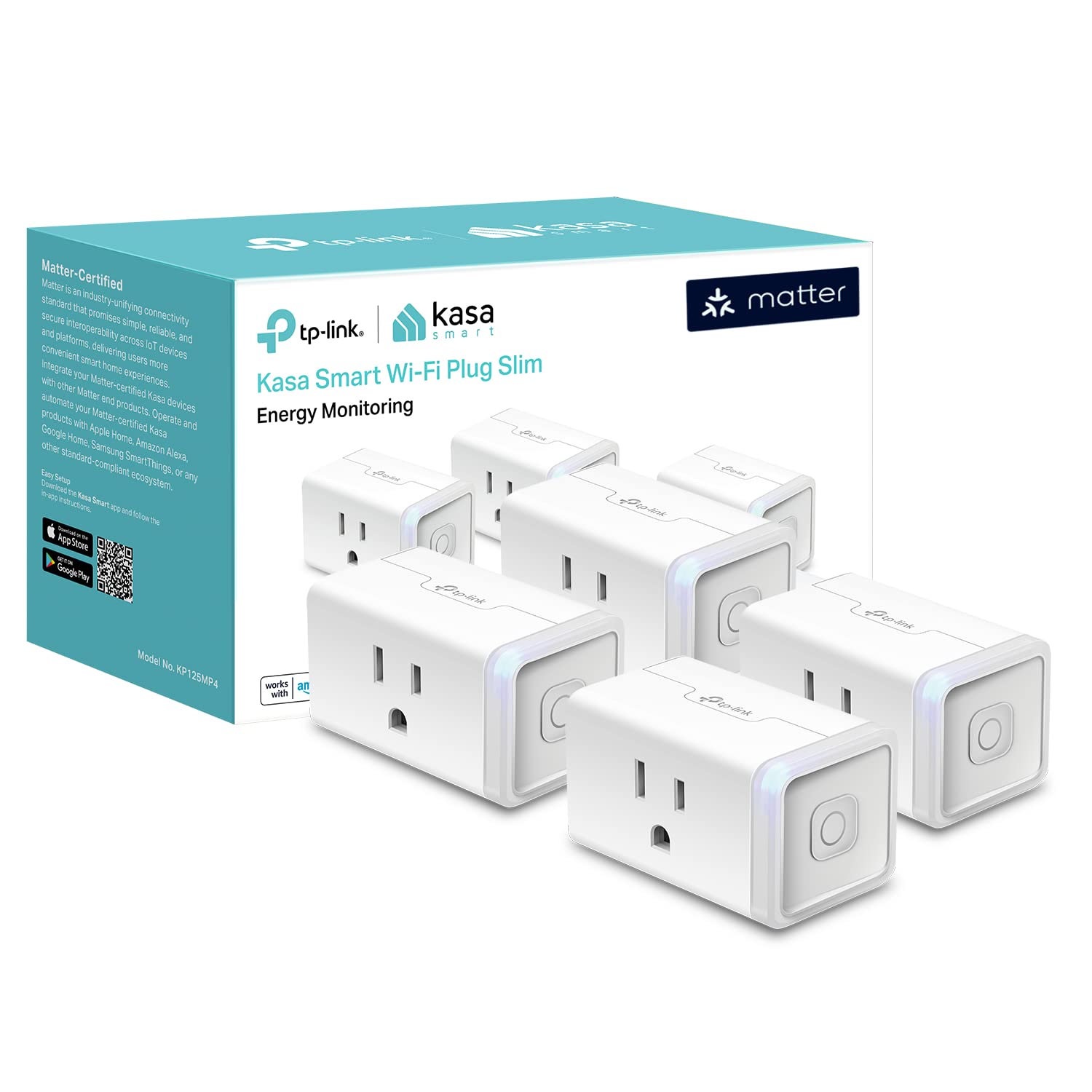
TP-Link's own product page states the KP125M is "Matter Certified" and supports "Voice Control" through "Amazon Alexa, Apple Siri®, or Google Assistant,"1 and the CSA's public ledger lists it as certified too.13 What the page doesn't spell out — because it's a platform-level detail, not a Kasa-specific one — is that Alexa and Apple Home will pair with it without an extra box, while Google Home wants its own Matter-enabled hub regardless of which brand of Wi-Fi plug you're adding. The sections below cover each platform, including what "no hub" really means on Alexa.678 That's not a Kasa limitation; it's true of any plain Wi-Fi Matter plug on Google's platform, this one included.
Practically, this is still the easiest of these plugs to recommend for a mixed household. It's a plain 2.4GHz Wi-Fi plug — Amazon's own listing says so14 — so there's no Thread radio to worry about, and once it's paired, on/off control should be reachable from Alexa or Apple Home with nothing extra to buy beyond the Echo or iPhone you already use. If your household also runs Google Home, check the Google Home hub section further down before assuming that side is automatic too.
meross Matter Smart Plug — Same Compatibility, Same Google Home Catch
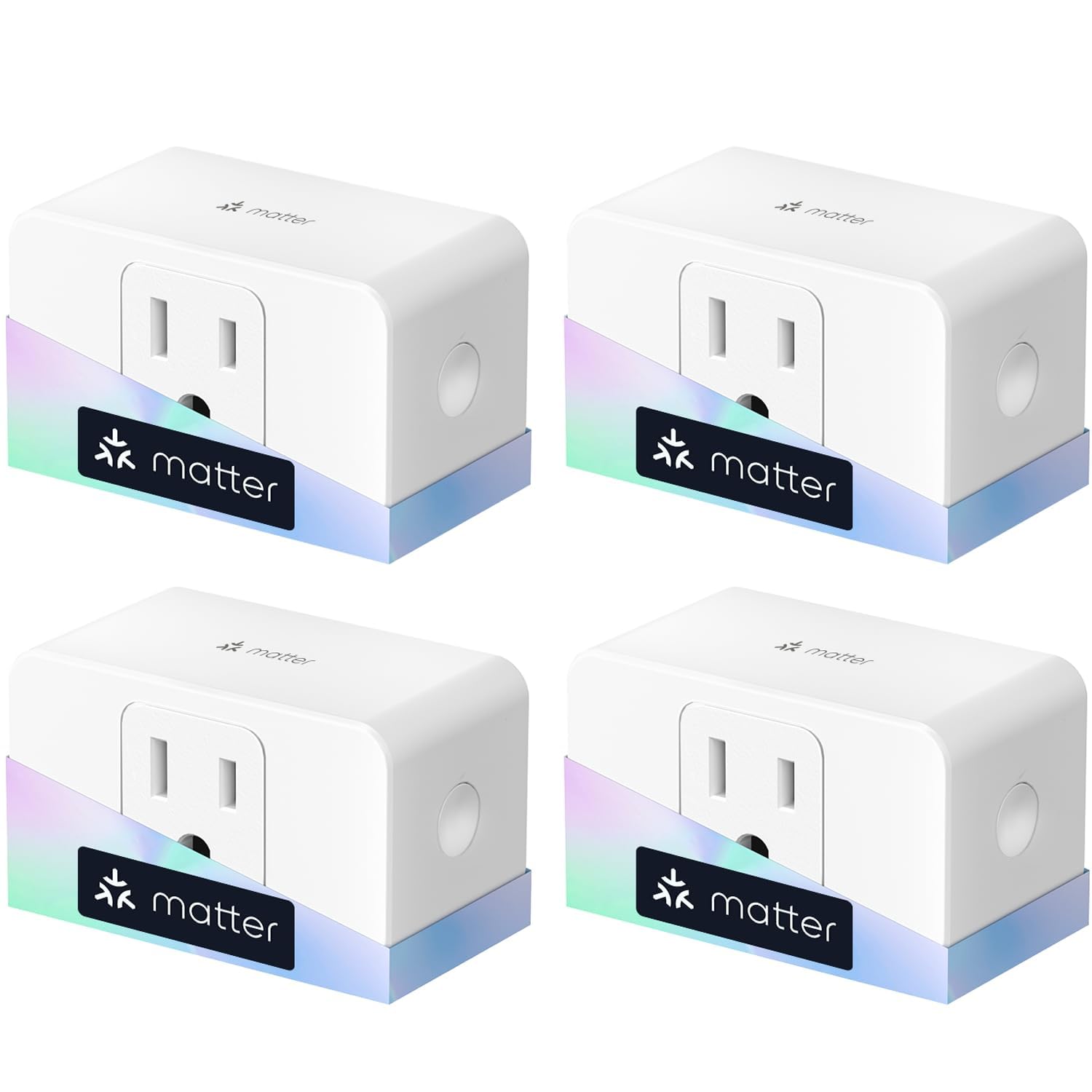
Where meross actually helps clear things up is that its own setup FAQ spells out the hub question by platform instead of leaving it implied. Walking through Alexa and Apple HomeKit, the guide lists pairing steps with no hub mentioned at all. For Google Home, it's explicit: "ensure that you have a Matter-enabled hub configured" before adding the plug.2 That's an independent confirmation of the exact same requirement Google's own documentation lists — two different companies' own support material agreeing on the same catch, which is a stronger signal than either one alone.
Beyond that one shared detail, meross is functionally the same plug as the Kasa pick: 15A/1800W rating, plain Wi-Fi, Matter-certified. The CSA's ledger lists the MSS315 as certified,13 and the Amazon listing says it's Matter over Wi-Fi only, no Thread, on a 2.4GHz network with IPv6.15 That listing also says "A Matter-Compatible hub is required for your selected platform," which for Alexa just means the Matter-capable Echo or eero you'd already need. Buy it as a same-spec backup if Kasa's four-pack is sold out, or if you'd simply rather split your smart-home devices across two brands for redundancy — not because it solves the Google Home hub question any differently.
Is Eve Energy a Matter Smart Plug? Yes, Over Thread, So You Need a Border Router
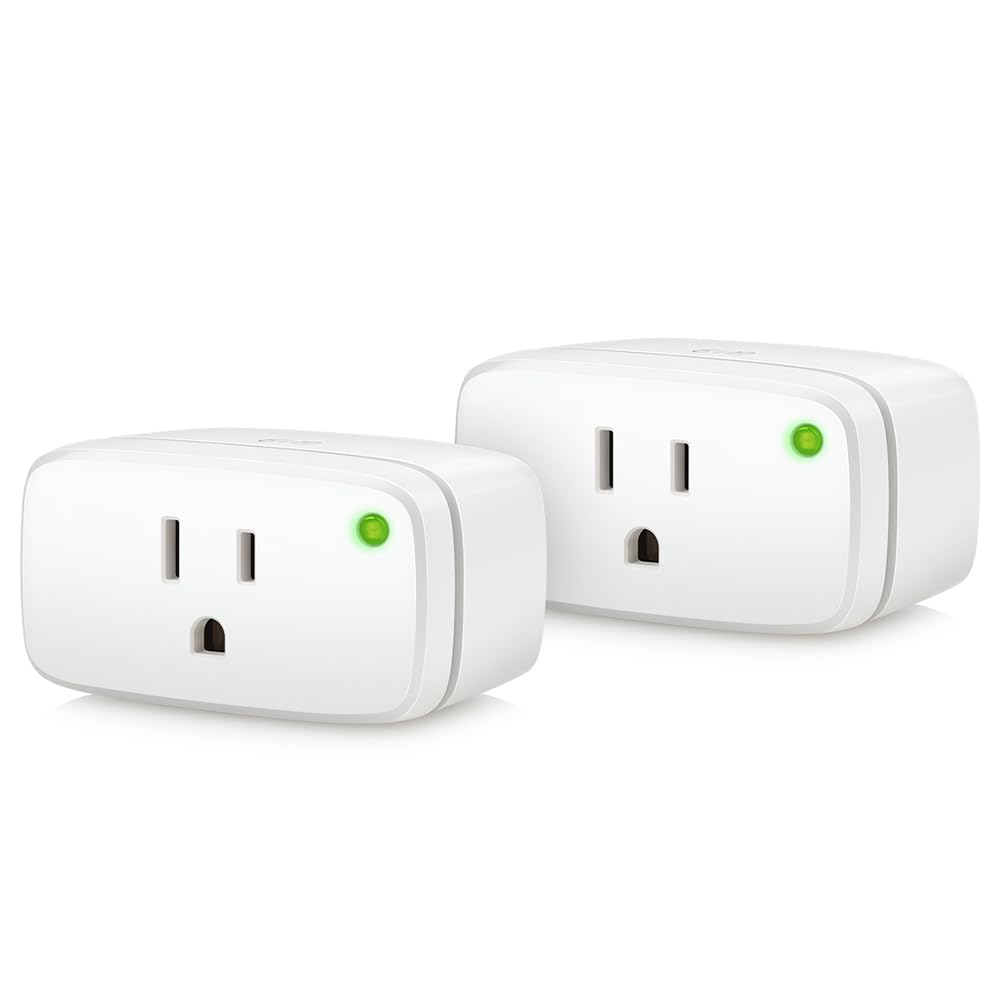
Eve's own product page is actually the most generous of the three about ecosystem compatibility, listing "Apple Home, Samsung SmartThings, Amazon Alexa, Google Home and Home Assistant" by name.3 The CSA's ledger lists Eve Energy (U.S. & Canada) as certified, too.13 The part that trips people up — especially anyone who assumes Eve is "the Apple one" and therefore simplest for an Apple-first household — is that this device runs over Thread, not Wi-Fi. Eve's page is direct about it: "this Matter-enabled device requires a hub that supports both Thread and Matter."3 Amazon's own listing for this exact 2-pack states the same thing right in the product title: "Thread Border Router requ[ired]."4 Which hubs qualify on each platform is covered right below. One troubleshooting note: in a 2023 thread, Home Assistant users reported the app showing a "Thread border router required" error when adding Eve Energy even with a border router already running, so if you hit that message, check your network's IPv6 and mDNS settings before buying more hardware.5
The distinction that actually matters when you're shopping: one hub can do both jobs. Eve's page asks for a "Compatible hub with Matter Controller & Thread Border Router functionality," a single device,3 and Google's hub page lists Nest Hub (2nd gen), Nest Hub Max, Nest Wifi Pro and Google TV Streamer (4K) as hubs that support Matter over both Wi-Fi and Thread.11 So a Google Home user doesn't need a separate border router on top of the Matter hub if one of those is already in the house. What you get in exchange is genuinely different from the other plugs here: Eve's page advertises "no subscription, no registration" and "no Eve cloud,"3 meaning it's built to run on your local network instead of phoning home to a manufacturer's server. That's worth the much higher per-outlet price only if local-only operation is something you're specifically shopping for — not simply because it happens to say "Apple" the most in its marketing.
Do You Need Thread? Matter Over Wi-Fi vs Matter Over Thread Smart Plugs
Not for most of them. The Kasa KP125M and EP40M, Tapo P110M and meross MSS315 all run on 2.4GHz Wi-Fi, so there's no Thread radio and no border router involved.9101415 Eve Energy is the Thread plug in this guide, and Eve says it needs a hub that handles both Thread and Matter.3 Which hubs qualify depends on the platform: Apple TV 4K, HomePod (2nd generation) or HomePod mini for Apple;7 a Thread-enabled Echo or eero for Amazon;6 Nest Hub (2nd gen), Nest Hub Max, Nest Wifi Pro or Google TV Streamer for Google.11 The one carve-out is Apple's: an iPhone 15 Pro or later on iOS 18 can control Thread accessories without a home hub.7 And there's an upside to Thread: Eve calls Energy a "Full Thread Device," so since it's always plugged in, it can relay signals for other Thread gear and help your mesh reach further.3
Does Alexa Need a Hub for a Matter Smart Plug?
Not for a Wi-Fi Matter plug like Kasa, Tapo or meross, with one wrinkle worth knowing. Amazon's own developer documentation says "smart home devices can connect directly to Alexa without a separate hub or smart home add-on," but it also says a compatible Echo is what discovers and connects Matter devices to Alexa, calling the Echo "the Matter administrator."6 So "no hub" for Alexa means no extra box: you still need a Matter-capable Echo or eero, and that device is the hub. It's why some listings, including meross's, say a Matter hub is required. The requirement only turns into shopping for new gear with Matter-over-Thread devices, where Amazon's documentation says "a Thread Border Router must commission Thread-based smart home devices" before they'll pair, and notes that "Thread-enabled Amazon Echo and eero devices act as border routers" for that job.6 In plain terms: Kasa, Tapo and meross are a non-issue on Alexa if you already have a compatible Echo; Eve Energy needs one of those Thread-enabled Echo or eero devices.
Does Apple Home Need a Hub for a Matter Smart Plug?
Mostly no for a plain Wi-Fi plug, with a recommendation attached. Apple's own support page states that with iOS 18 or later, you can add and control Matter accessories from the Home app without a home hub. It also adds a softer recommendation on top of that: "For the best experience set up a home hub to add supported Matter and thread-based accessories to the Home app."7 Apple doesn't spell out on that page what the "best experience" covers, so read it as a recommendation, not a requirement, for a Wi-Fi plug you're controlling from home. Where Apple's requirement turns firm is Thread specifically: "Thread-based accessories require a Thread-enabled home hub such as Apple TV 4K, HomePod (2nd generation), HomePod mini, or a compatible third-party Thread border router."7 Apple's own sentence just above that carves out an exception: with an iPhone 15 Pro or iPhone 15 Pro Max and later, you can control Thread-based accessories without a home hub. The footnote adds that Thread-enabled iPhones running iOS 18 can pair and manage them locally, though that "may require an update from the accessory manufacturer."7 That's the line Eve Energy falls on, not the Wi-Fi plugs.
Does Google Home Need a Hub for a Matter Smart Plug? (The One Nobody Expects)
Yes — and this is the detail that's easy to miss, because the assumption is usually that Apple is the strict one and Google, Android's own platform, would be the easy one. Google's own support documentation lists requirements under a "What you need" section, and it's unambiguous: "A Matter-enabled hub for Google Home" appears as its own bullet point, separate from — and in addition to — the network and account requirements.8 The same list also asks for IPv6 on your home Wi-Fi router, a phone with Bluetooth LE 4.2 or higher, and the latest Google Home app.8 The page doesn't carve out an exception for Wi-Fi-only devices; the hub requirement is listed as a general prerequisite for Matter setup with Google Home, full stop.
That's not a theory pieced together from one source, either. meross's own setup FAQ describes the same requirement for its own plug: "ensure that you have a Matter-enabled hub configured" in the Google Home section of its pairing steps2 — with no equivalent line in its Alexa or Apple HomeKit instructions. Two companies' own support pages landing on the same answer is about as solid as this kind of claim gets without an in-house lab test. The practical upside: if your Google Home setup already includes a Nest Hub, Nest Wifi Pro or Google TV Streamer, you're covered. Google's hub page lists Nest Hub (1st and 2nd gen), Nest Hub Max, Nest Wifi Pro and Google TV Streamer (4K) as hubs that support Matter over Wi-Fi.11 The point isn't "budget for Google Home" — it's "don't assume a Matter badge means Google Home is automatically covered with literally nothing else in the house," which is exactly the assumption this guide exists to correct.
Can One Plug Really Run on All Three Apps at Once?
Yes, with the one nuance Google's own documentation is upfront about: "only one platform can actively control the device at a given moment."8 In everyday use that's rarely something you'll notice — a smart plug isn't usually being toggled by two apps in the same second — but it's worth understanding what multi-admin actually promises versus what it doesn't. It promises that anyone in the house can open their preferred app (Alexa, Google Home, or Apple Home) and control the same physical plug, instead of everyone being forced onto one ecosystem because of who set the device up first. It doesn't promise true simultaneous dual-control, and it doesn't waive each platform's own setup requirements — you still need whatever hub that specific app calls for, as covered section by section above.
Kasa KP125M vs Tapo P110M: Which TP-Link Matter Plug?
Kasa and Tapo are both TP-Link brands, and on paper these two plugs are close to twins. TP-Link's own pages list both as Matter Certified with energy monitoring, and the CSA's public ledger lists both as certified.1913 The Tapo page says 2.4 GHz Wi-Fi only and 15A/1800W, and the Kasa listing says the same.914 The differences we could find are the app (Tapo or Kasa) and the product line: TP-Link calls the Tapo a "Mini" plug and the Kasa a "Slim" one. We can't call a winner from spec sheets. If you already run other gear in one of those apps, buy that one; otherwise grab whichever four-pack is in stock.
Are There Matter Outdoor Smart Plugs?
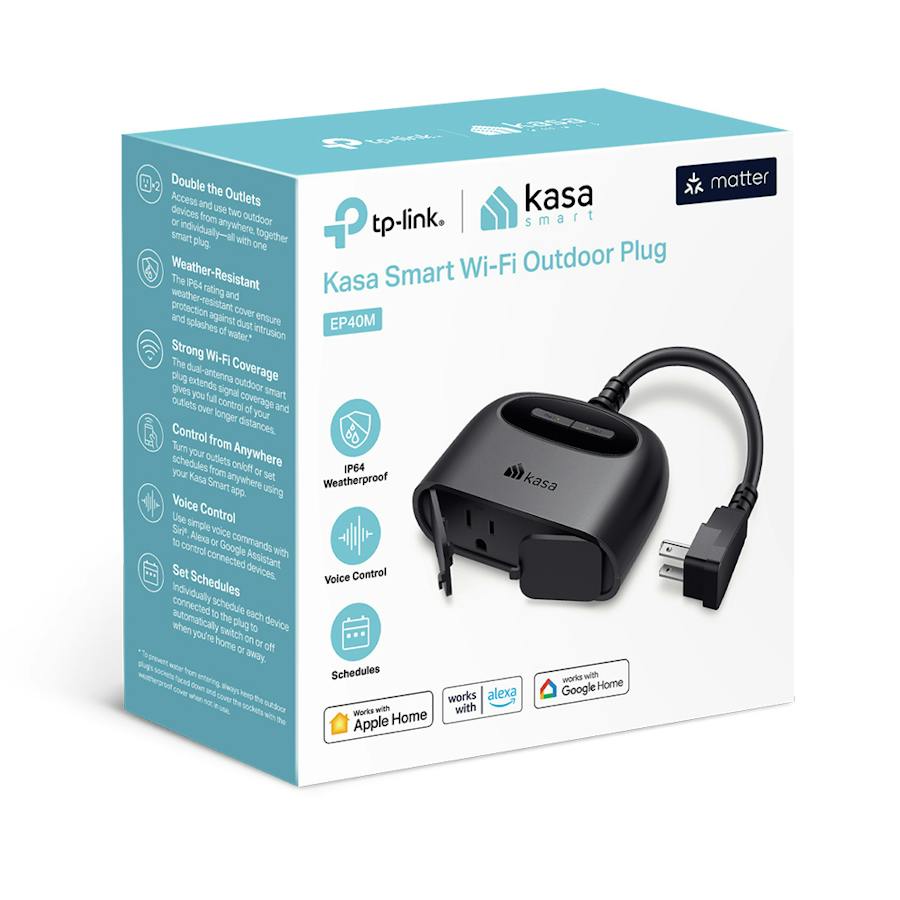
Yes: the Kasa EP40M. Kasa's page calls it Matter Certified, with two individually controlled outlets, IP64 weather resistance, a 15A/1875W load rating, 2.4 GHz Wi-Fi only and a listed range of -4°F to 122°F,10 and the CSA's ledger lists it as certified.13 Watch the model letter, though. The EP40A that shows up in a lot of outdoor plug roundups is a different product: Amazon titles it an "Apple HomeKit Outdoor Smart Plug" without calling it a Matter plug,17 and Kasa's Matter entries in the CSA's ledger include the EP40M but no EP40A.13 For wattage and weatherproofing, see our guides to the best smart plugs for Christmas lights and how many you need. If the plug is only for holiday lights, some smart Christmas lights, like the Govee Christmas Lights 2, now have Matter built into the string itself; see our best smart Christmas lights guide.
Ecosystem Compatibility or Energy Monitoring — Which Question Are You Actually Asking?
If what brought you here is "will this plug even show up in my Google/Apple/Alexa app," everything above should answer it. But these same three products get searched a completely different way too — "which one actually cuts my electric bill" — and that's a separate question with a separate answer, because it comes down to per-outlet pricing and how each brand's app (or lack of one) reports watts and kWh, not which ecosystem hub you own. Want the deeper energy-monitoring cost breakdown instead? See our Kasa vs Emporia vs Eve comparison, which covers price-per-outlet, where each brand actually shows you real energy data, and why "Emporia" in that search doesn't mean a plug at all. And if your real question is whether a smart plug saves you money in the first place, we did the math in Do Smart Plugs Actually Save Electricity?
So Which Matter Smart Plug Should You Buy?
For a household mixing Alexa, Android phones and iPhones, the Kasa KP125MP4 is the least complicated buy: Wi-Fi only, no Thread hardware to shop for, and the one real catch (Google Home wanting its own hub) is covered if your setup already includes a Nest Hub, Nest Wifi Pro or Google TV Streamer.11 The Tapo P110M and meross are legitimate same-class alternatives if Kasa's stock runs out, with the identical Google Home caveat. Eve Energy earns its higher price only if fully local, no-cloud operation is something you're specifically shopping for — and only if you're either starting with a Thread border router already in place or are fine adding one, since Thread devices need one in every ecosystem (Apple's iPhone 15 Pro and later exception aside), not just Apple's.
Best Matter Smart Plugs FAQ
Do Matter smart plugs work with Alexa, Google Home, and Apple HomeKit at the same time?
Yes — Matter's "multi-admin" feature lets a certified plug be added to all three apps. Google's own documentation confirms devices can be used "simultaneously in different Matter-certified apps like Google Home, Apple Homekit, Amazon Alexa, and more," though only one app actively controls it at any given moment, and each app generally wants its own compatible hub set up.
Does a Matter smart plug need a separate hub?
Depends on the platform. For Alexa, "no hub" means no extra box: you still need a Matter-capable Echo or eero, and that device is the hub. Apple Home on iOS 18 or later needs no home hub for a Wi-Fi plug like the Kasa, Tapo or meross. Google Home is the exception: its support page lists a Matter-enabled hub as required, and meross's setup FAQ says the same.
Are Matter-certified, Matter-compatible and Matter-enabled smart plugs the same thing?
For the plugs in this guide, yes. The CSA's public ledger lists the Kasa KP125M, Tapo P110M, meross MSS315 and Eve Energy as certified, while listings use all three phrases loosely: Amazon's Tapo P110M title says "Matter Compatible" and its bullets say "Matter-Certified." We couldn't find an official CSA definition of "compatible," so look for the Matter logo and check the ledger.
Do I need Thread for a Matter smart plug?
No, not for Wi-Fi Matter plugs like the Kasa KP125M, Tapo P110M, Kasa EP40M or meross MSS315. They run on 2.4GHz Wi-Fi and need no Thread border router. Thread is only required for Thread plugs like Eve Energy, which Eve says needs a hub that supports both Thread and Matter.
Is Eve Energy a Matter smart plug?
Yes. Eve Energy (U.S. and Canada) is listed as certified in the CSA's public ledger, and Eve says it works with Apple Home, SmartThings, Alexa, Google Home and Home Assistant. It uses Matter over Thread, so it needs a hub with a Thread border router for full functionality, with one Apple exception: an iPhone 15 Pro or later on iOS 18 can control Thread accessories without a home hub.
What's the difference between the Tapo P110M and the Kasa KP125M?
On paper, not much. Both are Matter-certified 2.4GHz Wi-Fi plugs with energy monitoring and a 15A/1800W rating, per Tapo's page and the Kasa listing. The differences we found are the app (Tapo or Kasa) and the product name, Mini versus Slim. Pick by the app you prefer or whichever pack is in stock.
Are there Matter outdoor smart plugs?
Yes: the Kasa EP40M is Matter-certified, with two independently controlled outlets, IP64 weather resistance and 2.4GHz Wi-Fi. Be careful with the Kasa EP40A, which shows up in a lot of outdoor plug roundups: Amazon sells it as an Apple HomeKit plug, not a Matter one. Our Christmas-lights guide covers the wattage and weatherproofing details.
Which Matter smart plug should I buy for a mixed Alexa/Google/Apple household?
The Kasa KP125MP4, with the Tapo P110M or meross as same-class backups, if you don't already own Thread hardware. All three are Wi-Fi only, and Google Home still wants a Matter hub, which you're likely covered on if you already have a Nest Hub, Nest Wifi Pro or Google TV Streamer. Eve Energy is worth the higher price specifically for local-only, no-cloud operation if you already have a Thread border router.
Sources
- TP-Link — KP125M official product page: Matter certification and voice-control compatibility with Alexa, Siri and Google Assistant.
- Meross — How to setup Matter device with Amazon Alexa, Google Assistant, Apple HomeKit: official setup steps confirming a Matter-enabled hub is required specifically for Google Home (and SmartThings), not Alexa or Apple HomeKit.
- Eve Systems — Eve Energy official product page: compatibility list, "hub that supports both Thread and Matter" requirement, Full Thread Device note, no-cloud claims.
- Amazon — Eve Energy (Matter) 2-Pack listing: product title states "Thread Border Router requ[ired]."
- Home Assistant Community — "Thread border router required" with Eve and Matter: 2023 user thread showing the "Thread border router required" error appearing even with a border router present; troubleshooting context, not proof of the requirement.
- Amazon Developer Documentation — Connect Your Device to Alexa with Matter: Matter devices connect to Alexa without a separate hub (a compatible Echo is the Matter administrator); Thread devices need a Thread Border Router (Echo/eero).
- Apple Support — Pair and manage your Matter accessories: no home hub needed for Matter on iOS 18+, the "best experience" recommendation, the Thread home-hub rule and its iPhone 15 Pro exception.
- Google Home and Nest Help — Set up, manage, and control Matter-enabled devices with Google Home: "What you need" list (including a Matter-enabled hub) and the Multi-Admin explanation.
- TP-Link — Tapo P110M official product page: Matter Certified, 2.4 GHz Wi-Fi only, 15A/1800W, supported platforms.
- Kasa Smart — Kasa Smart Wi-Fi Outdoor Plug EP40M official product page: Matter Certified, two outlets, IP64, 15A/1875W, 2.4 GHz Wi-Fi only.
- Google Home and Nest Help — Prepare your smart home for Matter: which Google hubs support Matter over Wi-Fi and which include a Thread border router.
- Connectivity Standards Alliance — Matter: the alliance's own overview and certified-products links.
- Connectivity Standards Alliance — Distributed Compliance Ledger: public certification records. Kasa KP125M, Tapo P110M, meross MSS315, Eve Energy (U.S. & Canada) and Kasa EP40M all showed as certified on September 27, 2026; Kasa's entries list no EP40A.
- Amazon — Kasa Matter Smart Plug KP125MP4 listing: title states 15A/1800W and 2.4GHz Wi-Fi.
- Amazon — meross Matter Smart Plug (4 Pack) listing: Wi-Fi only, 2.4GHz and IPv6, not Thread; "a Matter-Compatible hub is required"; advertises no registration.
- Amazon — Tapo P110M (4-Pack) listing: title says "Matter Compatible," bullets say "Matter-Certified."
- Amazon — Kasa EP40A outdoor plug listing: titled "Apple HomeKit Outdoor Smart Plug."