Fitbit Air Workout Tracking: What It Auto-Detects (and What You Have to Log Yourself)
Quick answer: Google's own support page lists 7 activity types the Fitbit Air auto-detects — walk, run, bike, sports, elliptical, rowing machine and stationary bike. DC Rainmaker's hands-on testing found the band reliably catches only about 5 of them in practice (walk, run, bike, elliptical, rowing); sports and stationary bike are hit-or-miss. Strength training, HYROX-style circuits and virtually all machine work never get auto-logged at all — you either start them manually from the Google Health app on your phone, or they don't show up in your log. Swimming isn't tracked either; the Air isn't rated for it. If your training is mostly walking, running or cycling, the auto-detection has you covered. If it's lifting, plan on hitting "start" yourself every time.
Google's spec sheet for the Fitbit Air lists a tidy row of activity icons, and it's easy to walk away from that page assuming the band just knows what you're doing at the gym. It mostly doesn't — not because the marketing is dishonest, but because "auto-detects 7 activity types" and "reliably auto-detects 7 activity types" turned out to be two different claims once independent reviewers actually put it through a training week.
We flagged this gap briefly in our full Fitbit Air review and again in our Fitbit Air vs Amazfit Helio Strap comparison. This is the deep dive: exactly which activities Google lists, which ones independent testing found actually work, what never gets picked up no matter what, and how to log the rest yourself — sourced from Google's own Health Help Center and DC Rainmaker's published hands-on testing, not guesswork.
- Officially listed by Google: 7 types — walk, run, bike, sports, elliptical, rowing machine, stationary bike
- Reliably detected in real-world testing: ~5 — walk, run, bike, elliptical, rowing (per DC Rainmaker's hands-on review)
- Never auto-logged, ever: strength training, HYROX/circuit work, swimming — manual entry only, and only if you remember to start it
- Full context on the tracker itself: our Fitbit Air review, scored 9.2/10
What Are Fitbit Air's 7 Officially Listed Activity Types?
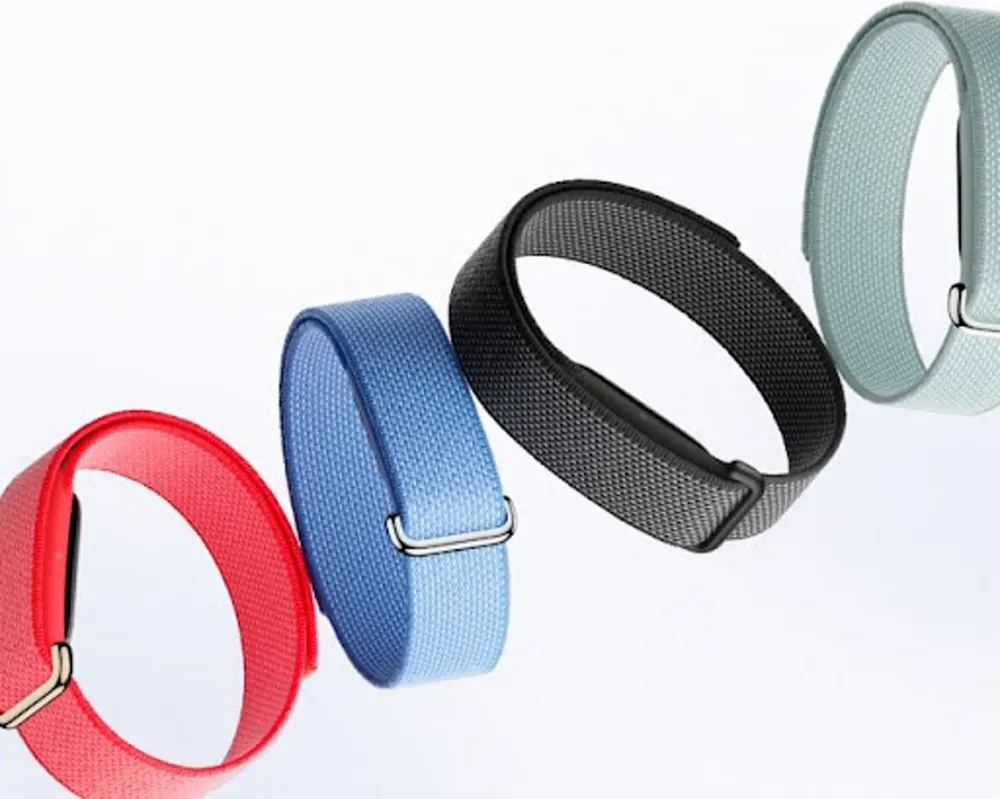
Google's Health Help Center spells out which activities the Fitbit Air is supposed to catch on its own, in the background, with no input from you. It's the same list Google gives for the Pixel Watch 3, 4 and 5 — the Air just runs it without a screen to show for it.
| # | Activity Type |
|---|---|
| 1 | Walk |
| 2 | Run |
| 3 | Bike |
| 4 | Sports |
| 5 | Elliptical |
| 6 | Rowing machine |
| 7 | Stationary bike |
That's the official list — the one printed in Google's own documentation, and the one most spec-sheet roundups repeat without checking further. It's also, by Google's own comparison, a short list: reviewers have pointed out it's "woefully behind Whoop's 45+ different activity types" that band can automatically detect and log. Whether the Air's 7 actually behave like 7 in daily use is a separate question, and it's the one that matters if you're deciding whether this band can replace a training log.
How Many Does It Actually Catch Reliably? (DC Rainmaker's Real-World Test)
DC Rainmaker's in-depth Fitbit Air review put the auto-detection through actual training weeks rather than a lab checklist, and the practical list came out shorter than Google's: the Air "will automatically categorize a handful of activity types as well (run, walk, bike, rowing, elliptical)." That's 5, not 7 — sports and stationary bike are on Google's list but weren't among the categories DCR found reliably triggering on their own.
Even within that shorter list, behavior isn't uniform. DCR's testing found cycling detection timing varies a lot by context: a slow commute can take 5-6 minutes to actually register as a ride, while a hard road or gravel session gets picked up almost instantly. Runs tend to trigger fast in both directions — start and finish. When the band genuinely can't tell what you're doing, it doesn't guess silently; per DCR, "it simply asks you what it was" in the app afterward.
There's a plausible technical reason detection gets patchy on interval-heavy or short sessions: the5krunner's testing found the Air's heart-rate sampling, specified at every 2 seconds, actually stretches to roughly every 5 seconds once you're exercising — about a fifth the data density of devices that sample more often. The piece doesn't claim this directly breaks activity classification, but it does note that at these wider intervals "short, hard events are mis-represented" in the underlying data. Less frequent sampling means less signal for an algorithm trying to tell a hard interval apart from a warm-up, which lines up with why classification gets shakier the choppier your session is.
What Never Gets Auto-Logged — Strength, HYROX, Swimming?
| Logged automatically (usually) | You have to start it yourself, every time |
|---|---|
| Walking | Strength training / weightlifting |
| Running | HYROX / CrossFit-style circuits |
| Cycling (timing varies) | Swimming (not officially rated for it) |
| Elliptical | Most gym machine work outside the 7 listed types |
| Rowing machine | "Sports" and stationary bike — listed by Google, inconsistent in practice |
Strength training was never on Google's list of 7 to begin with, so this isn't a case of the Air failing at something it promised — it's a gap that's honest on paper but easy to miss if you only skim the spec sheet. Squats, deadlifts, supersets, circuit stations: none of it triggers automatically, on the Air or on any device using this same activity-detection model. You start it manually from the Google Health app, or it doesn't exist in your log.
HYROX makes the gap worse rather than better. Even if running were reliably auto-detected — and it mostly is — HYROX's stop-start structure means the sprint sections between stations are often too short on their own to register as a distinct run before you're back to a station doing burpee broad jumps or sled pushes. The practical result: the whole event needs one manual log entry from start to finish, not a series of auto-detected segments. If HYROX or CrossFit is most of your training, the Amazfit Helio Strap — with its dedicated HYROX Race mode and rep/set tracking — is built for exactly this in a way the Air isn't trying to be.
Swimming is simpler: it's just not there. DC Rainmaker's review is blunt about it — "there are no swim features on this unit in terms of lap counting or such." That matches the Air's own spec sheet, which doesn't carry an official swim rating. If lap counts matter to you, this isn't your tracker for the pool.
How Do You Start a Workout Manually from the App?
Because the Air has no screen and no buttons, there's no way to start a workout from the band itself — every manual start happens on your phone. Open the Google Health app, start a workout from the log/exercise screen, pick the activity type from the full list (which covers plenty of activities the auto-detection doesn't reliably catch, including strength training), and stop it when you're done. That session gets saved to your Google Health log the same as anything auto-detected.
The app also lets you clean up after the band guesses wrong: per Google's own Health Help Center, auto-detected activities show up in a workout recap where you can confirm, change or delete them — "to confirm the detected activity, go to the workout recap and tap the detected activity." It's not instant correction mid-session, but it does mean a misclassified elliptical session doesn't have to sit wrong in your history forever.
One more honest catch worth knowing before you rely on manual starts for anything GPS-based: DC Rainmaker's testing reported losing GPS data on manual workouts outright — "I've lost numerous workouts (the GPS data) where it simply stops tracking. The underlying heart rate data is still saved... but there's no map/GPS/distance/etc data." Fitbit has acknowledged this as a real, ongoing issue. Heart rate and duration are dependable; don't count on the route map every time.
Is the Fitbit Air Right for Your Training Style, or Should You Look Elsewhere?
- Mostly walking, running or cycling? The auto-detection genuinely works for you — this is the Air's actual comfort zone, not just its marketing claim.
- Elliptical or rowing machine sessions? Also on the reliable list, per DC Rainmaker's testing — expect it to catch these on its own most of the time.
- Lifting, HYROX or CrossFit-style training? Plan on manual logging every session, or look at a tracker built for it — the Amazfit Helio Strap tracks reps, sets and rest periods and runs a dedicated HYROX mode for about the same money.
- Want deeper training-readiness data alongside better activity coverage? The Garmin Cirqa (#1 in our WHOOP alternatives roundup) covers 80+ activity profiles, started from a physical button — a fundamentally different approach than the Air's screen-free guesswork. In early October 2026, Amazon itself wasn't selling the Cirqa (only third-party sellers were); Garmin also sells it directly at garmin.com.
- Swim regularly? Neither the Air nor its direct rivals in this category are built for the pool — look at a dedicated swim watch instead.
None of this makes the Fitbit Air a bad tracker — it's still our top pick for the person who wants sleep, heart and AFib data without thinking about the band, and we say so in our full review. It just means "tracks your workouts automatically" needs an asterisk: it tracks walking, running, cycling, elliptical and rowing automatically. Everything else is on you to start.
Fitbit Air Workout Tracking FAQ
How many activities does the Fitbit Air track automatically?
Google's support documentation lists 7 auto-detected activity types: walk, run, bike, sports, elliptical, rowing machine and stationary bike. DC Rainmaker's hands-on testing found the Air reliably categorizes only about 5 of them in practice — walk, run, bike, elliptical and rowing — with sports and stationary bike being hit-or-miss.
Does the Fitbit Air track strength training or weightlifting?
Not automatically. Strength training isn't one of Google's 7 listed activity types, and it isn't among the roughly 5 that DC Rainmaker found the Air reliably auto-detects. You have to start a strength session manually from the Google Health app on your phone, or it never shows up in your log at all.
Can the Fitbit Air track swimming?
No. The Fitbit Air isn't officially rated for swimming, and DC Rainmaker's review notes there are no swim features on the device at all — no lap counting, no swim-specific mode. It's a wrist-worn health band, not a swim tracker.
How do I manually start a workout on the Fitbit Air?
The Air has no screen or buttons, so you can't start a workout from the band itself. Open the Google Health app on your phone, start a workout from there, choose the activity type from the list, and stop it when you're done. You can also confirm or edit an auto-detected activity after the fact from the workout recap in the app.
Why does the Fitbit Air sometimes get my workout type wrong?
Part of it comes down to sampling: the5krunner's testing found the Air's heart-rate sampling, specified at every 2 seconds, actually stretches to roughly every 5 seconds during exercise — thinner data that can blur short, hard efforts together. DC Rainmaker also found cycling detection timing varies a lot: a commute can take 5-6 minutes to register, while a hard road or gravel ride is picked up almost instantly.
Is the Fitbit Air good for HYROX or CrossFit training?
Not really. Circuit and strength stations aren't auto-detected, and HYROX's stop-start structure means the running sprints between stations are often too short on their own to trigger auto-run-detection either — so the whole event needs one manual log entry. The Amazfit Helio Strap, which has a dedicated HYROX Race mode and rep/set tracking, is the better fit for that kind of training.
Sources
- Google Health Help Center — What activities do my Fitbit device and Google Pixel Watch track: the official 7 auto-detected activity types, workout recap confirm/edit flow.
- Google Health Help Center — Track workouts with your Fitbit device and Google Pixel Watch: manual workout tracking basics.
- DC Rainmaker — Fitbit Air In-Depth Review: A True Whoop Competitor for $99?: hands-on activity-detection results, cycling-detection timing, manual-workout GPS bugs, swim-feature findings.
- the5krunner — Fitbit Air Isn't Truly Accurate: The Spec Nobody Explained: heart-rate sampling-interval testing (2-second spec vs ~5-second real-world behavior).